Altinn Studio

Altinn Studio – Redesign of the Deployment Flow

Redesigning the deployment experience for a national platform — empowering non-technical users to build, validate, and publish digital services with confidence.

Role: UX Research, UX& UI Designer.

Team: 1 designer (myself), collaborating with developers and product owners

Timeline: Aug 2025

BACKGROUND

A critical step in Norway's public service platform

Altinn Studio is a national platform used by public sector teams in Norway to build, manage and publish digital services.

The deployment page plays a crucial role: it is where changes get built, validated and published.

But as the platform grew, the deployment flow became difficult to navigate — especially for users without a technical background. The page offered limited guidance, unclear structure, and error messages that were hard to interpret.

Why this matter?

If teams cannot confidently deploy updates, progress slows, errors increase, and essential public services risk being shipped late or incorrectly.

CHALLENGE

How might we redesign the deployment flow so teams can deploy with confidence?

→ Understand each step: Clear sequence and purpose

→ Gain confidence: Trust in build results

→ Troubleshoot quickly: Actionable error messages

→ Deploy independently: Without technical specialists

IMPACT

A more intuitive platform overall

Clearer structure

Users understand sequence and purpose

Reduced reliance on developers

Non-technical users navigate confidently

Faster deployments

Fewer errors and less back-and-forth

Higher predictability

Status feedback shows progress

More accessible

Platform welcomes all skill levels

HOW I APPROACHED THE PROBLEM

My design process

1

Research — Understand how users experience deployment

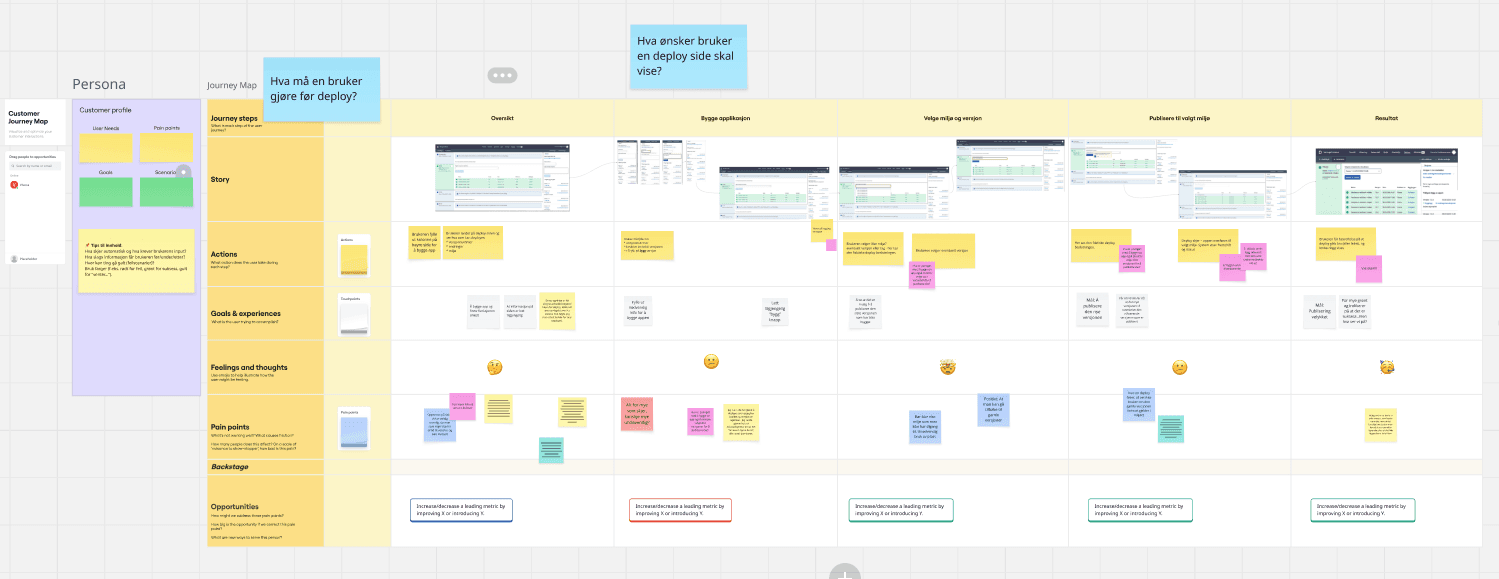
I mapped the current flow and gathered feedback from service developers, developers, and subject-matter experts. Many expressed uncertainty about what each step actually does — and what to do when something breaks

Key insights

  • The flow moved right-to-left, which felt counterintuitive

  • Users were unsure which environment they were deploying to

  • Error messages were vague or overly technical

  • The page lacked guidance on how to interpret build status

  • First-time users often relied entirely on developers for help

2

Define — What needs to be improved?

I organized insights into three main problems:

Structure: The deployment flow felt reversed and unintuitive

Guidance: Users lacked explanations of what each step meant

Feedback: Build results and errors were hard to interpret

Problem statement

Users need a clear, guided deployment experience that supports them from start to finish — regardless of technical background.

3

Ideation — Sketching improved flows

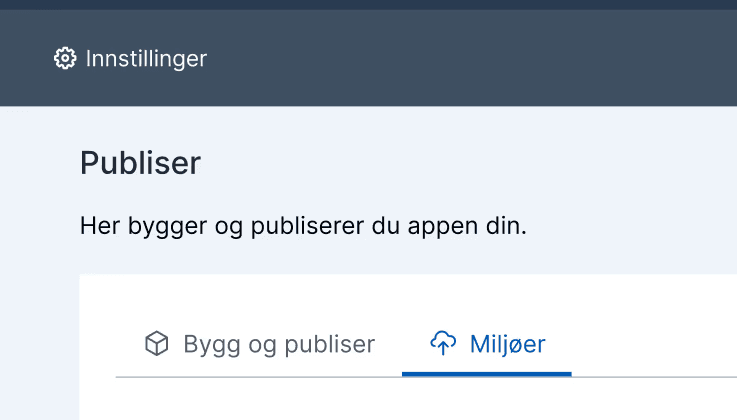
I explored structures focusing on left-to-right flow, hierarchy, contextual explanations, and separating build from deploy.

I first started with sticky notes, where every color represented either a section, tab or button. Then I created some sketches in Figma.

4

Collaboration & Iteration

Throughout the process, I collaborated closely with developers and product owners to balance technical constraints, backend architecture, platform consistency, and feasibility for incremental rollout.

We iterated on:

  • Improving status visibility

  • Defining a step-by-step structure

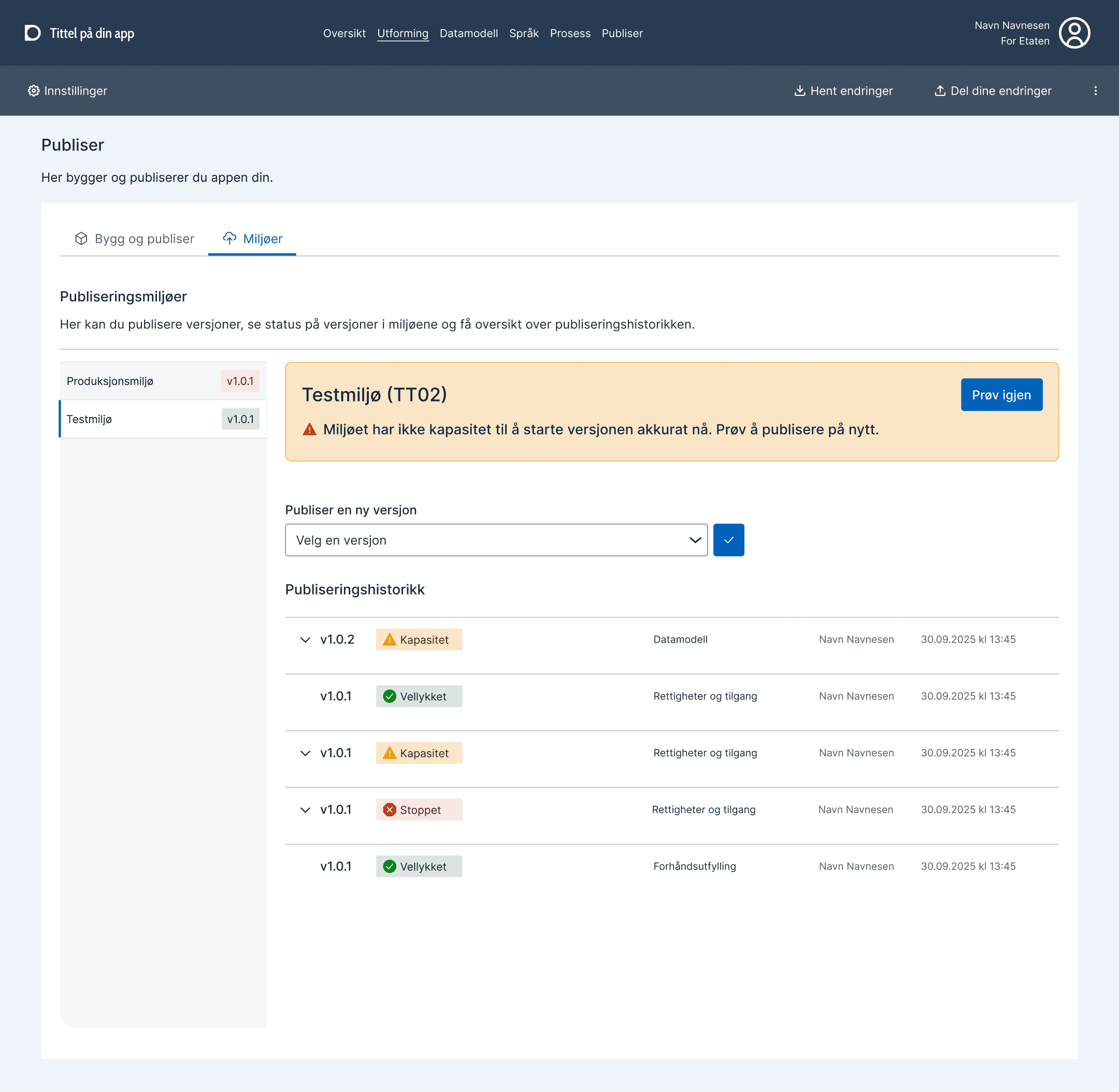
  • Clarifying error states

  • Simplifying decision-making moments

5

Prototyping — Building a guided deployment flow

I created an interactive prototype that:

We iterated on:

  • Improving status visibility

  • Defining a step-by-step structure

  • Clarifying error states

  • Simplifying decision-making moments

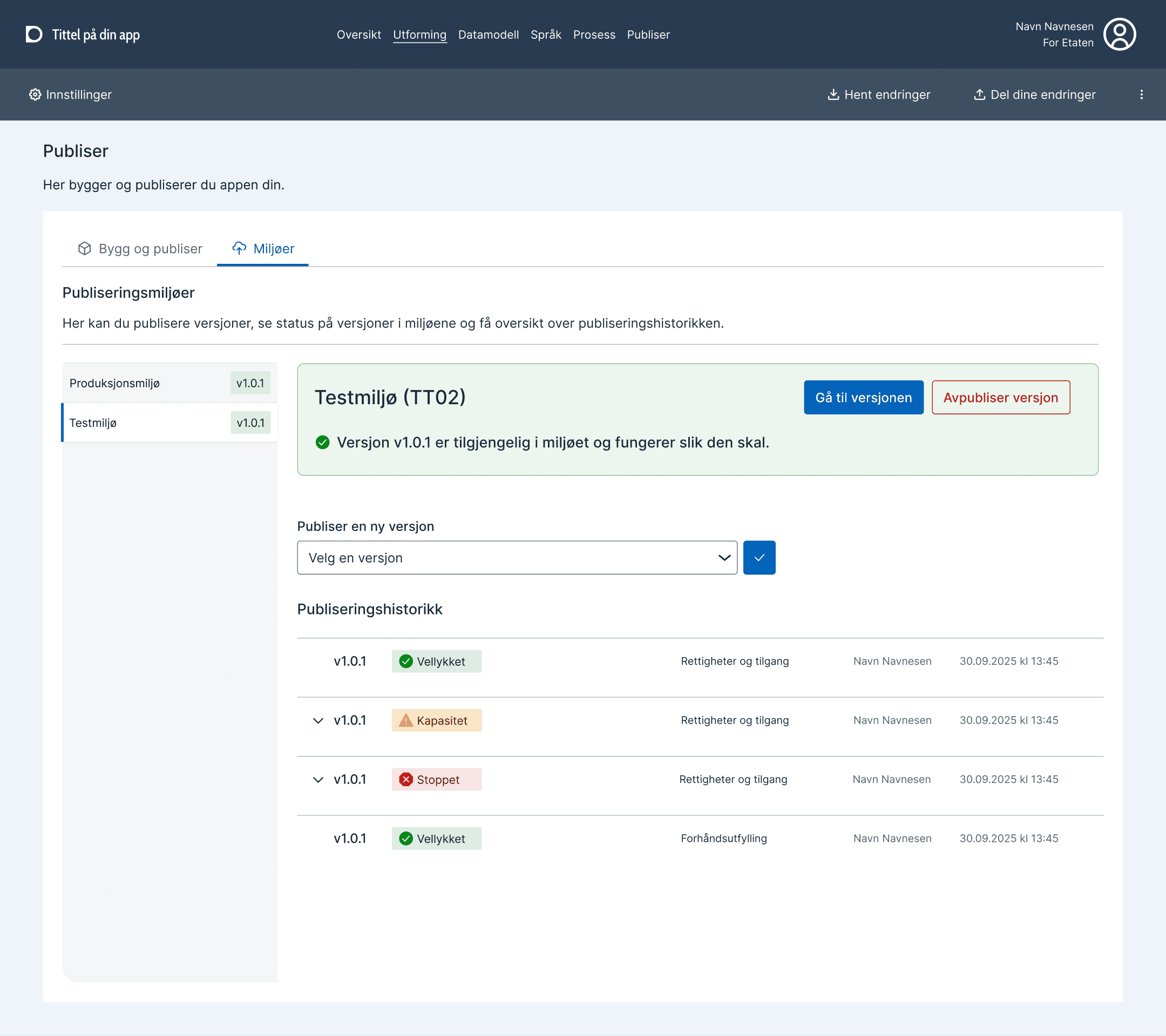
Shows build progress in a structured, readable way

Explains what each step does

Highlights environment selection clearly

Provides actionable error messages

Presents deployment as a logical sequence instead of a technical task

The redesigned flow guides users with clearer steps, structure, and feedback.

OUTCOME

What we achieved (so far)

  • Increased clarity: Users understand how deployments work

  • Better structure: For hybrid teams (developers + domain experts)

  • More accessible: Experience for non-technical users

  • Strong foundation: For future build & deploy improvements

Work is ongoing.

Early feedback indicates significantly improved predictability and understanding.

KEY LEARNINGS

What I learned

Structure reduces cognitive load

A well-organized flow enables users to focus on decisions, not deciphering the interface.

Guidance increases confidence

Small explanations at the right time prevent uncertainty and reduce reliance on developers.

Technical tools need human-centered language

Error messages are part of the user experience — not an afterthought.

REFLECTION

Looking ahead

This project deepened my understanding of system-level UX in complex environments.

Working so closely with developers strengthened my ability to merge user needs with technical realities.

Redesigning this flow showed how even small changes in structure, language, and hierarchy can improve trust and predictability for public services.